Bug #442 — WO/SO: Cannot sign JSA Risk Assessment
Issue: #442 Reporter: Kang-Supreeya Date: 2026-02-18 Version: Preview35 Severity: Medium Frequency: Always
Description
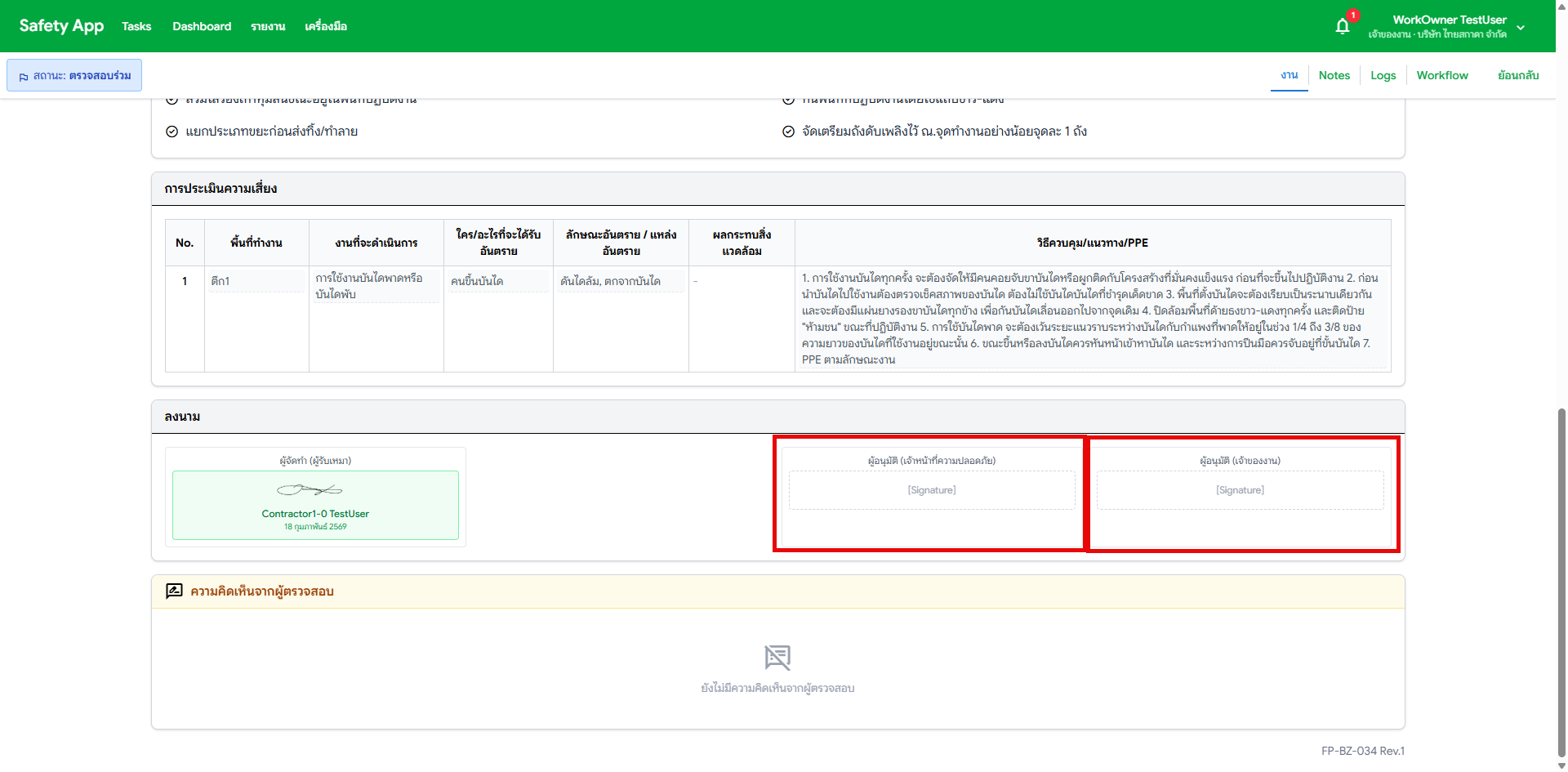
เจ้าของงาน / จป : เซ็น JSA ไม่ได้
Work Owner and Safety Officer cannot sign their respective signature slots on the JSA Risk Assessment form during co-review. Additionally, roles could sign any slot (not restricted to their own), and switching between accounts loaded the wrong saved signature.
Related: SR #017 (item 3)
Location
Tasks > JSA Preparation > Co-Review state > JSA document > Signature section
Bug Details
| Role | Expected | Actual |
|---|---|---|
| Work Owner | Can sign "ผู้อนุมัติ (เจ้าของงาน)" slot | Cannot sign |
| Safety Officer | Can sign "ผู้อนุมัติ (จป.)" slot | Cannot sign |
Steps to Reproduce
- Login as Work Owner or Safety Officer
- Go to Tasks > JSA Preparation (during co-review state)
- Open a JSA document
- Scroll to signature section
- Try to click on the signature slot for your role
- Observe — signature dialog does not open or shows wrong behavior
Screenshots
What to Test
| # | Test Case | Status |
|---|---|---|
| 1 | WO can only click "ผู้อนุมัติ (เจ้าของงาน)" slot | ⌛ Pending |
| 2 | SO can only click "ผู้อนุมัติ (จป.)" slot | ⌛ Pending |
| 3 | Contractor can only click "ผู้จัดทำ" slot | ⌛ Pending |
| 4 | WO tries to approve without signing → Approve button disabled | ⌛ Pending |
| 5 | Switching accounts loads the correct saved signature | ⌛ Pending |