Bug #411 — WO/SO: JSA approve and return buttons disappeared
Issue: #411 Reporter: Kang-Supreeya Date: 2026-02-16 Version: Preview33 Severity: Medium Frequency: Always
Description
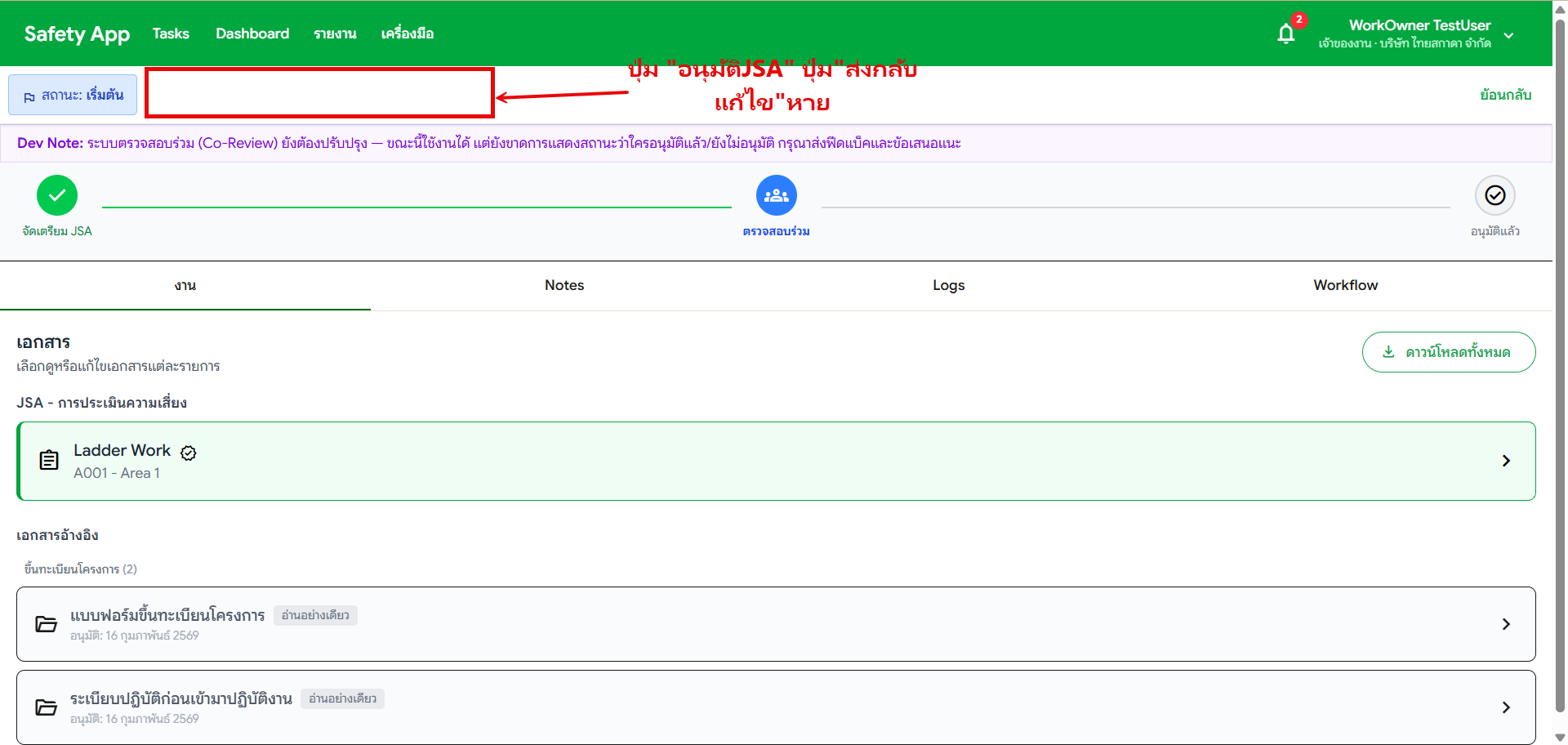
Work Owner and Safety Officer no longer have the "Approve JSA" and "Return for Edit" (ส่งกลับแก้ไข) buttons when reviewing JSA tasks. These buttons existed in previous versions.
Related: #412 (Contractor incorrectly gained these same buttons) Service Report: SR #014
Location
Tasks > จัดเตรียม JSA > งาน (JSA Preparation task)
Bug Details
| Role | Expected | Actual |
|---|---|---|
| Work Owner | Has "อนุมัติ JSA" and "ส่งกลับแก้ไข" buttons | Buttons missing |
| Safety Officer | Has "อนุมัติ JSA" and "ส่งกลับแก้ไข" buttons | Buttons missing |
Screenshot
Steps to Reproduce
- Login as Work Owner or Safety Officer
- Go to Tasks > จัดเตรียม JSA
- Open a JSA task in review state
- Observe toolbar — approve and return buttons are missing
Root Cause
Backend sends workflowState.en = "Co-Review" for the JSA review state. The frontend normalizes this to "co-review", but the state label mapping only recognized "review-by-safety-officer" and "so-review". The unrecognized label defaulted to the Started state, which expects the Contractor role — causing WO/SO commands to be hidden.
Fix Applied
| Layer | Change |
|---|---|
| Backend | Added VisibleToRoleIds property to TaskCommand — set to [WorkOwner, SafetyOfficer] for review commands |
| Frontend | Added "co-review" to state label mapping; toolbar now checks visibleToRoleIds from backend first |
PR: #414 Version: Preview34
What to Test
| # | Test Case | Status |
|---|---|---|
| 1 | WO opens JSA task in review → "อนุมัติ JSA" button visible | 🔍 In Review |
| 2 | WO opens JSA task in review → "ส่งกลับแก้ไข" button visible | 🔍 In Review |
| 3 | SO opens JSA task in review → Same buttons visible | 🔍 In Review |
| 4 | Buttons work correctly when clicked | 🔍 In Review |